Skip to content

FOLIO for Lawyers (law firms)

Find the legal concept, the clause, the holding, or the issue faster — in documents you already have.

Find all of your matters by type.

For example, find all breach-of-contract claims in New York — or all merger agreements with force majeure clauses in the EU. Enrich tags each document with its type, its area of law, and the places it names, so one search spans every matter.

Enrich rolls a court opinion's concepts up by branch, then pulls its court, parties, and dates into metadata.
Auto-Tag your timekeeping narratives by task.

Enrich reads each time entry and tags the task it describes, such as drafting, research, or a deposition, so you can review bills and report on matters with less cleanup.

Enrich tags each time entry with a FOLIO task, then rolls the tasks up by service.

Auto-Tag contracts by clause.

Enrich labels each clause, such as indemnification, termination, or force majeure, with its FOLIO concept, so you compare clauses across a whole deal set.

Enrich tags a contract's Force Majeure and Termination for Cause clauses.

Auto-extract propositions from many opinions.

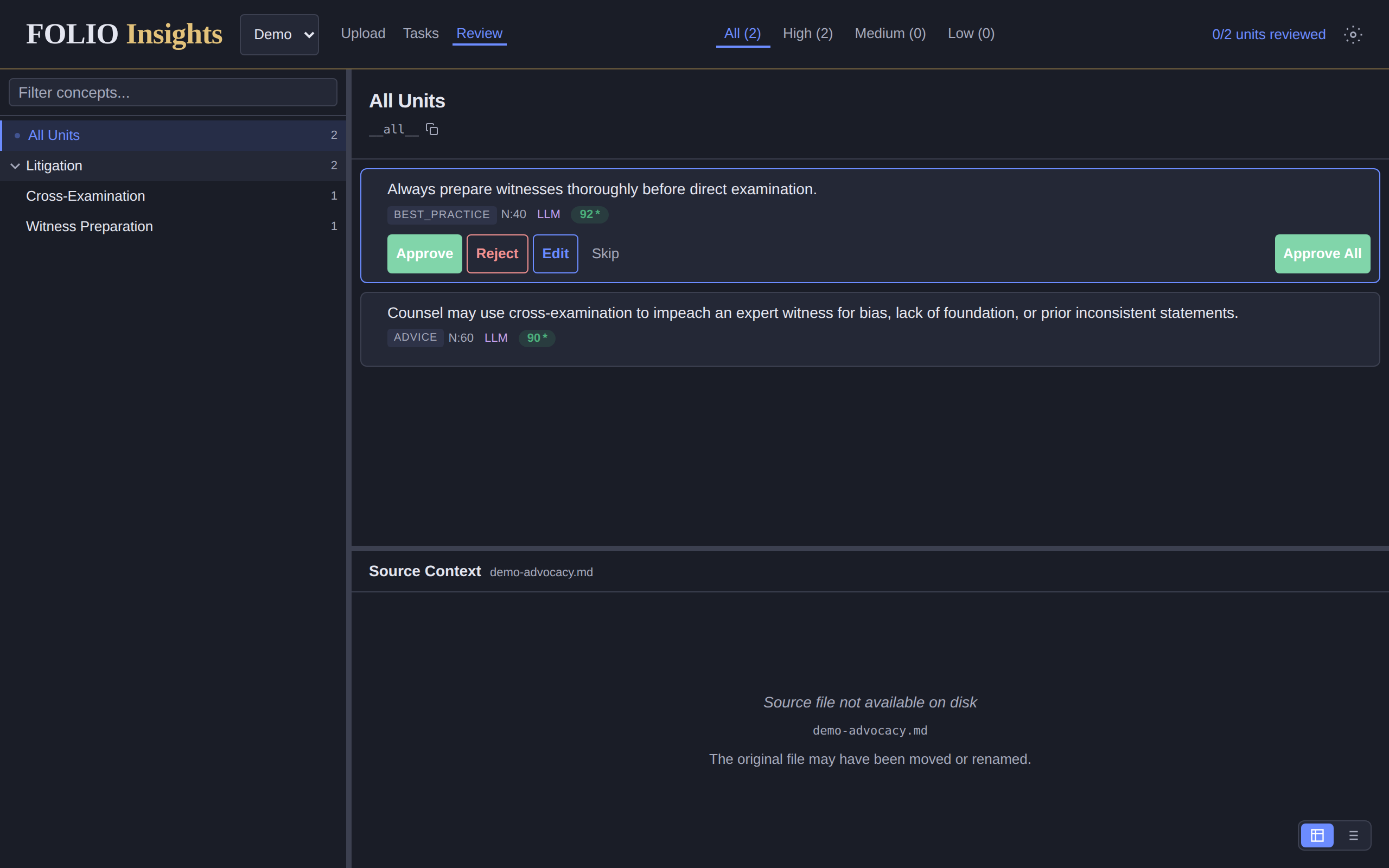
Insights turns each opinion into short, tagged propositions, such as the rule it applies and the holding, each tied to the exact words it rests on, so you can check a point before you cite it.

FOLIO Insights' review screen with a concept tree on the left and two extracted propositions, each labeled with a type, a confidence score, and Approve, Reject, and Edit buttons.
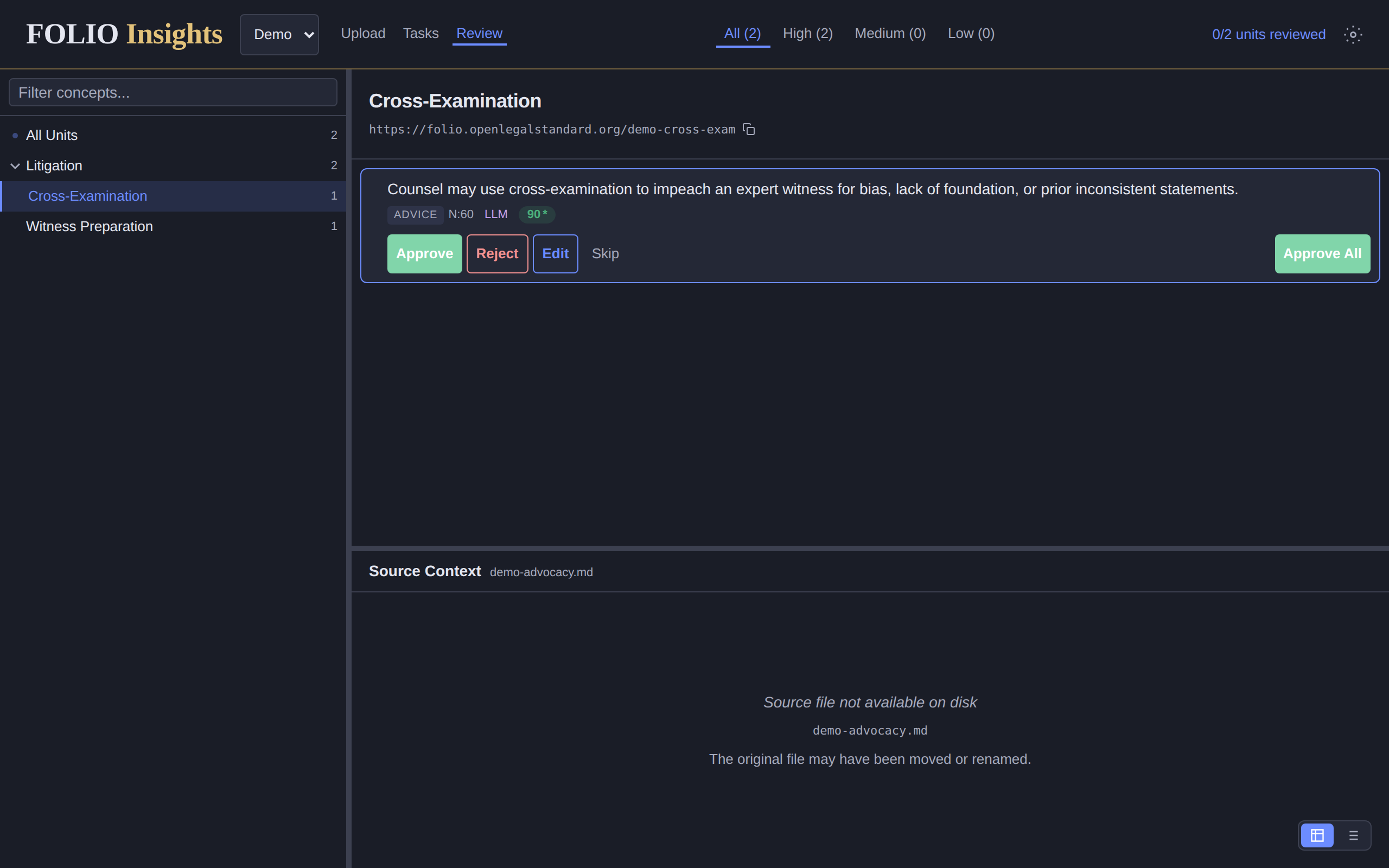
FOLIO Insights filtered to the concept Cross-Examination, showing one proposition about impeaching an expert witness.
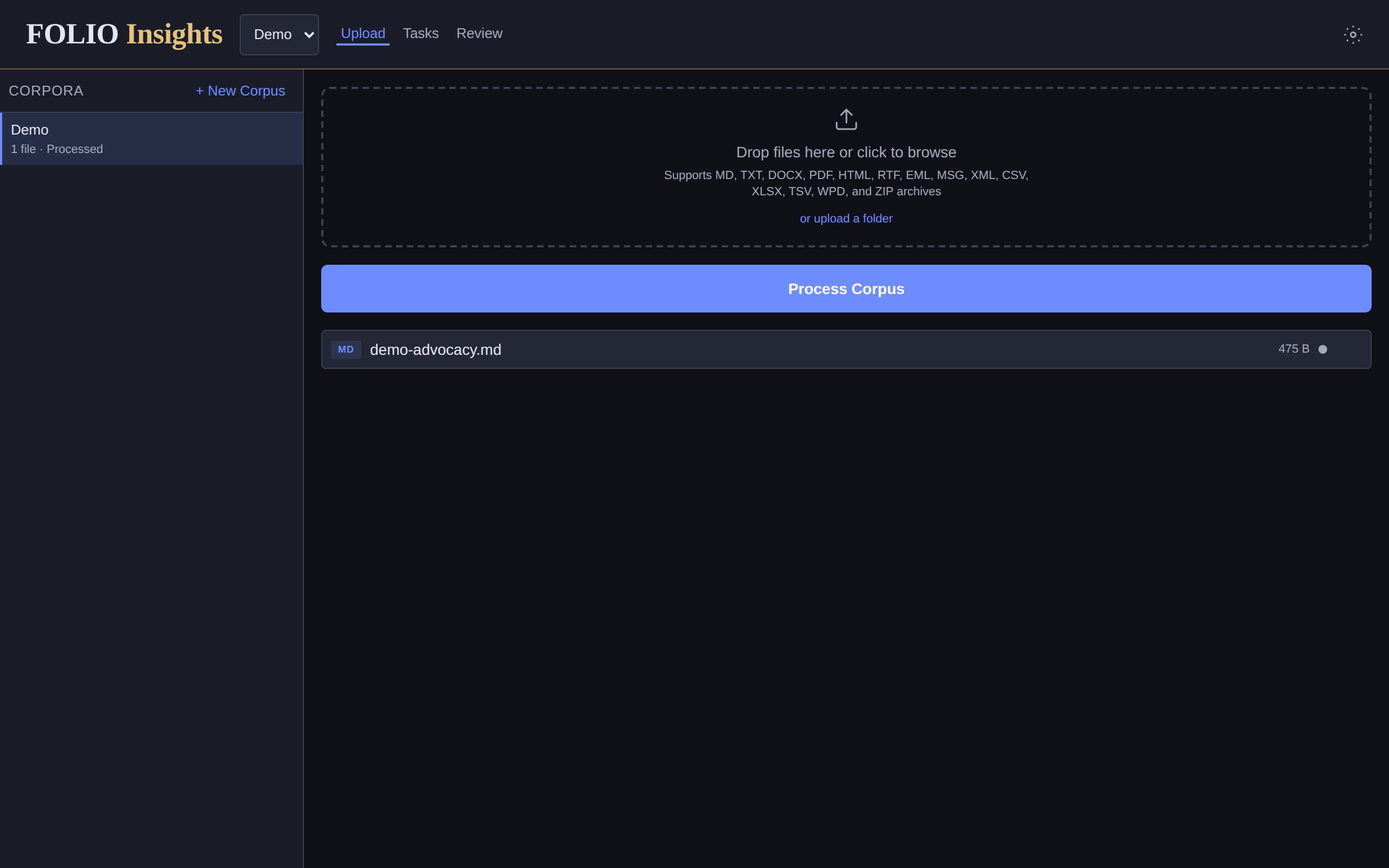
FOLIO Insights' upload screen with a corpus list, a drop zone for many file types, and a Process Corpus button.

Insights extracts propositions, filters them by concept, and accepts a corpus upload.

Related links